


Wolfbox Auto
3.145.00 Reviews
App Specs
- Version
- 1.13.1
- Updated On
- License
- Free
- Downloads
- 50,000+
- Developer
- WOLFBOX TECH, INC.
- Categories
- Auto & Vehicles
- Platform
- Android
Screenshots
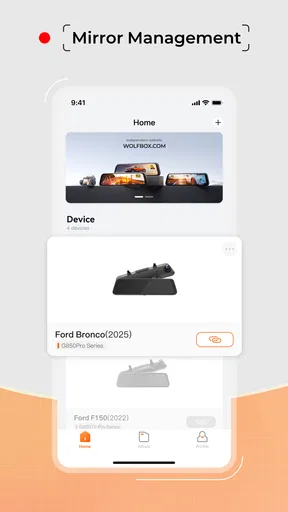
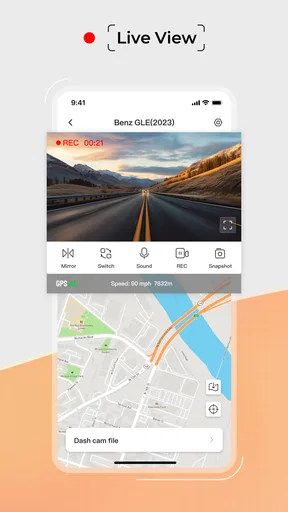
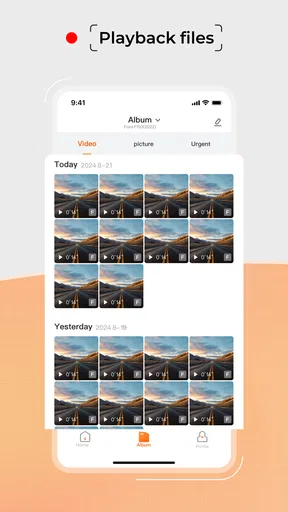
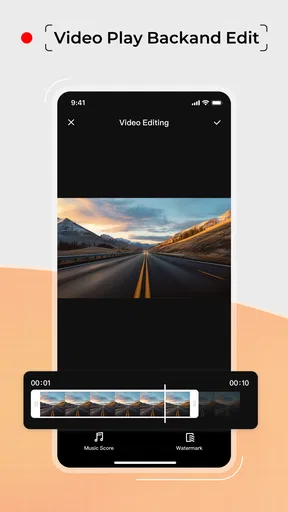
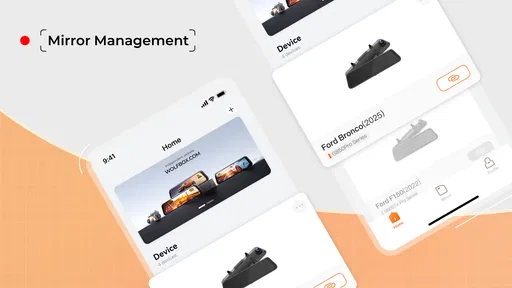
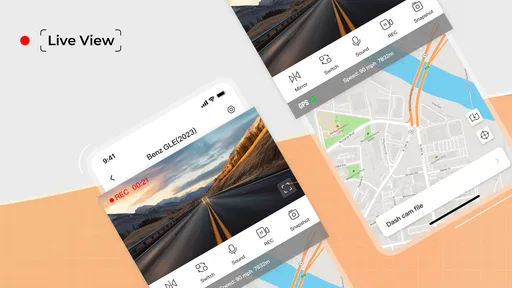
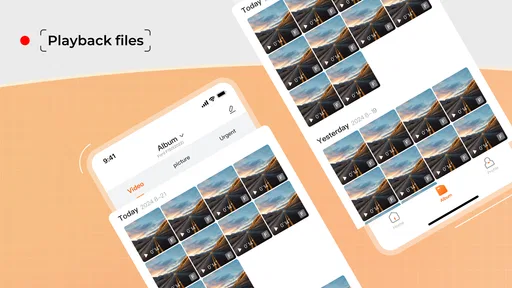
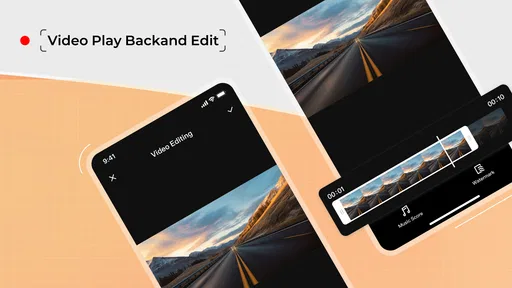
 Analysis by AppCompare
When I consider a driving companion app, the first question is whether it fits into an existing routine or asks me to rebuild it around a phone. Wolfbox Auto is aimed at motorists looking for an app tied to smarter driving, but the practical value depends on the phone, vehicle setup, and tools a driver already uses. I would approach it as a possible addition to a driving setup, not as a reason to rely on a screen while moving.
Where it sits in a driving setup
Wolfbox Auto is a free app in the auto and vehicle category from WOLFBOX TECH, INC. Its current version is 1.8.0, and it was released on July 7, 2025. Those details place it at a relatively early point in its public life, so I would judge it on what I can verify about the product rather than assume it has already matured into a full replacement for familiar navigation or vehicle tools.
That distinction matters because the category covers very different needs: some drivers want directions, others want a dash-camera companion, maintenance records, or help managing a connected device. An app’s usefulness is shaped by the equipment and workflow around it. Before making it part of a regular drive, I would check that it is intended to work with the particular Wolfbox equipment or setup I own, then test the connection while parked.
What the public track record suggests
The app has an average rating of 3.0 from 78 ratings, with 36 written reviews, and has passed 10,000 installs. I read that as a modest track record rather than a clear verdict: enough activity to show that people are trying it, but not enough to make a broad claim that every driver will have the same experience. A rating in the middle of the scale is a cue to check whether the app matches your specific use case and to pay attention to how it behaves with your own device.
It is rated for Everyone, which makes it broadly accessible from an age-rating perspective. That is not the same thing as a promise that every feature suits every driver or that setup will be effortless. For a driving app, the more useful test is whether its controls are understandable before a trip and whether the information it presents can be checked without distracting from the road.
How I would assess it before a regular commute
I would start with a short, stationary setup session: install it, review the available screens, and connect any compatible equipment before setting off. Then I would try a familiar route, not an unfamiliar journey where a confusing prompt or an unexpected connection issue could raise stress. This is a simple way to see whether the app belongs in my routine without letting first-time setup compete with driving.
One practical point is to decide in advance which device will handle each job. If another app already provides directions, switching between navigation tools mid-trip can create more distraction than benefit. If Wolfbox Auto is being used alongside vehicle equipment, I would keep the phone mounted securely and avoid changing settings while moving. A useful companion should reduce small hassles, not give me another reason to glance down.
Worth Reading Before You Choose

EA SPORTS FC Mobile 26 Is a Bigger Football Game, but It Takes Time

Flipboard Shows What News Apps Must Do Beyond the Feed

Switching to Android Auto Means Rethinking Your Driving Routine

Google Calendar Makes a Crowded Week Easier to Manage

Ludo King Makes the Most of the Minutes Between Plans

Baby Panda World Brings Quick Play to Modern Phones, but Its Game Library Feels Busy
Getting Started with Wolfbox Auto
First things first, setting up Wolfbox Auto is a breeze. You download it, and before you know it, you’re ready to hit the road with a suite of features that’ll make your drive safer and more enjoyable. The interface is sleek and intuitive, so even if you’re not a tech whiz, you’ll find your way around in no time.
The app syncs seamlessly with your car's systems. All you need is a compatible device, and you’re good to go. It’s like having a co-pilot who’s got your back every step of the way.
Features That Stand Out
One of the standout features is the real-time navigation. It’s not just your regular GPS. The app provides live updates, rerouting you as traffic conditions change. It’s like having a traffic guru whispering in your ear, ensuring you take the quickest route possible.
- Safety Alerts: The app keeps you on your toes with alerts for speed limits, red lights, and even potential hazards. It’s perfect for both city driving and long road trips.
- Fuel Efficiency: With a clever algorithm, the app analyzes your driving patterns and offers tips to save on gas. It’s like having a personal eco-friend helping you drive smarter.
- Parking Assistance: This feature is a lifesaver in crowded urban areas. Finding a parking spot becomes less of a chore with real-time updates on available spaces.
The User Experience
The user experience is where Wolfbox Auto truly shines. The app’s interface is clean and easy to navigate. Whether you’re tech-savvy or a novice, you’ll find the layout intuitive. The color scheme is easy on the eyes, reducing glare, which is particularly helpful during night drives.
One thing I loved is the voice command feature. It’s responsive and allows you to keep your hands on the wheel and eyes on the road. Simply say what you need, and the app does the rest. It’s like having a personal assistant who never gets tired or distracted.
Who is likely to get the most from it?
For someone who drives the same commute most weekdays, I would treat the useful question as whether the app makes a repeated task simpler. A driver can explore the interface and voice controls at home, then check during a parked trial whether the relevant tools fit their habits. If a feature proves helpful only when the phone is handled repeatedly, I would leave it unused; convenience is not worth a distraction.
A realistic example is preparing for a weekend drive across town. I would set the destination before leaving, make sure the phone is secured, and use spoken prompts rather than trying to read details while traffic is moving. If the route changes, I would let a voice prompt guide the decision and pull over somewhere safe if I needed to inspect a screen or change a setting. That workflow is more valuable than piling every available function onto one trip.
Where it differs from familiar alternatives
Compared with a standard map app, Wolfbox Auto is presented as a broader driving companion, with connected-device use and driving-related tools alongside navigation. That could make it appealing to a driver who wants several parts of a car routine gathered in one place. A dedicated map app may still be the better choice if all you need is dependable route planning and you already know how to use it. I would not switch solely for the promise of extra features; I would first confirm that the functions I need are available and work reliably in my own setup.
It also should not be treated as a substitute for the car’s controls, a driver’s judgment, or any equipment-specific instructions. Alerts can be useful prompts, but they cannot guarantee that every hazard is detected or that a suggested route is suitable. I would keep attention on the road and treat the app as supporting information, not an authority that overrides signs, local conditions, or safe driving decisions.
Small checks that make the trial more useful
Before relying on a connected driving app, I find it helpful to separate setup questions from on-road questions. At home, check that the intended device can be paired and that the information you expect is visible. In a parked car, try voice interaction and confirm that prompts are understandable at a comfortable volume. Then take a short, familiar drive and notice whether the app helps without demanding extra attention. This staged approach makes it easier to identify whether a problem comes from setup, compatibility, or simply a mismatch with your routine.
For longer drives, I would also prepare for ordinary interruptions: a phone battery that needs attention, a mount that shifts, or a route change that requires a closer look. Those are not unique to this app, but they matter when deciding whether any phone-based driving tool is practical. A secure mount and a plan to stop before adjusting settings are more useful than trying to solve everything on the move.
What I would want to see as it develops
Version 1.8.0 gives readers a clear point of reference for the current release, but a version number alone does not explain what changed between releases. I would watch for clear release notes, improvements to device pairing, and evidence that common workflows remain dependable across updates. Those are sensible things to look for in a connected driving app because a minor change to setup or controls can affect a familiar routine.
Existing users should be cautious about assuming that an update will preserve every preference or connection exactly as before. After installing a new version, I would check the settings while parked and confirm that the equipment I use still connects before depending on it for a trip. That is a low-effort habit, especially if the app has become part of a daily commute.
Is Wolfbox Auto Worth It?
In a word, yes. The blend of convenience, safety, and efficiency makes Wolfbox Auto a must-have for any driver who spends a good amount of time behind the wheel. It’s not just about getting from point A to B; it’s about making the journey as smooth and enjoyable as possible.
In conclusion, if you’re looking for an app to enhance your driving experience, Wolfbox Auto is certainly worth considering. It’s packed with features designed to keep you safe and make your drive more efficient. Plus, the interface is user-friendly, making it accessible for everyone. Give it a try, and you might wonder how you ever managed without it.
My recommendation for a careful first try
My overall recommendation is to treat it as a trial rather than an instant replacement for tools you already trust. It is free to try, and the 3.0 average rating suggests I would keep expectations measured while checking whether the app suits my own equipment and habits. If the setup works smoothly and the available functions genuinely reduce friction, it may earn a place in the car. If I only need basic directions, or if I prefer not to manage a phone-based system while driving, a familiar navigation app or the vehicle’s built-in options may be the simpler fit.
For now, the most sensible approach is to test one useful task at a time, keep changes to a minimum on the road, and judge it by whether it makes a real drive easier rather than by how many tools it appears to bring together. That gives new users a practical way to decide, while existing users can keep an eye on future releases for clear improvements to the parts of the experience they actually rely on.
Pros
- User-friendly interface for easy navigation.
- Real-time GPS tracking enhances safety.
- Customizable alerts for speed and location.
- Seamless cloud backup for data security.
- Compatible with both Android and iOS devices.
Cons
- Requires constant internet connection.
- Subscription fee for premium features.
- May drain battery if used continuously.
- Initial setup can be time-consuming.
- Limited offline functionality.
FAQs for Wolfbox Auto
What features does Wolfbox Auto offer for drivers?
Wolfbox Auto provides a variety of features designed to enhance the driving experience. These include real-time navigation, advanced lane detection, collision alerts, and a dashcam function. The app also offers integration with smart devices and supports voice commands for hands-free operation, making it a comprehensive tool for safer and smarter driving.
Is Wolfbox Auto compatible with all vehicles?
Wolfbox Auto is designed to be compatible with a wide range of vehicles. However, it's important to check the specific requirements on their website or app store description. Compatibility may vary based on the car's model year and existing technology. Ensuring your vehicle supports the necessary connections will provide optimal functionality.
How does the subscription model work for Wolfbox Auto?
Wolfbox Auto offers both free and premium subscription models. The free version includes basic features, while the premium subscription unlocks advanced functionalities like enhanced safety alerts, cloud storage for dashcam footage, and more personalized settings. Users can opt for monthly or annual plans, providing flexibility based on their needs.
Does Wolfbox Auto require an internet connection to function?
While some features of Wolfbox Auto, such as real-time traffic updates and cloud storage access, require an internet connection, the app does offer offline capabilities. Basic navigation and dashcam functions can operate without internet, making it a reliable tool even in areas with poor connectivity.
How user-friendly is the interface of Wolfbox Auto?
Wolfbox Auto is designed with user-friendliness in mind, featuring an intuitive interface that is easy to navigate. The app employs clear graphics and straightforward menus, allowing users to quickly access and adjust settings. Additionally, the voice command feature enhances accessibility, ensuring that even novice users can operate it with ease.


